For parents
You set it up once. Every Monday you hear how it went.
Sign up with your email and a one-time code, add a child, and hand over the tablet. Your child taps their name and starts. You get the dashboard, the report and the controls on your phone.

Getting in
Children never log in
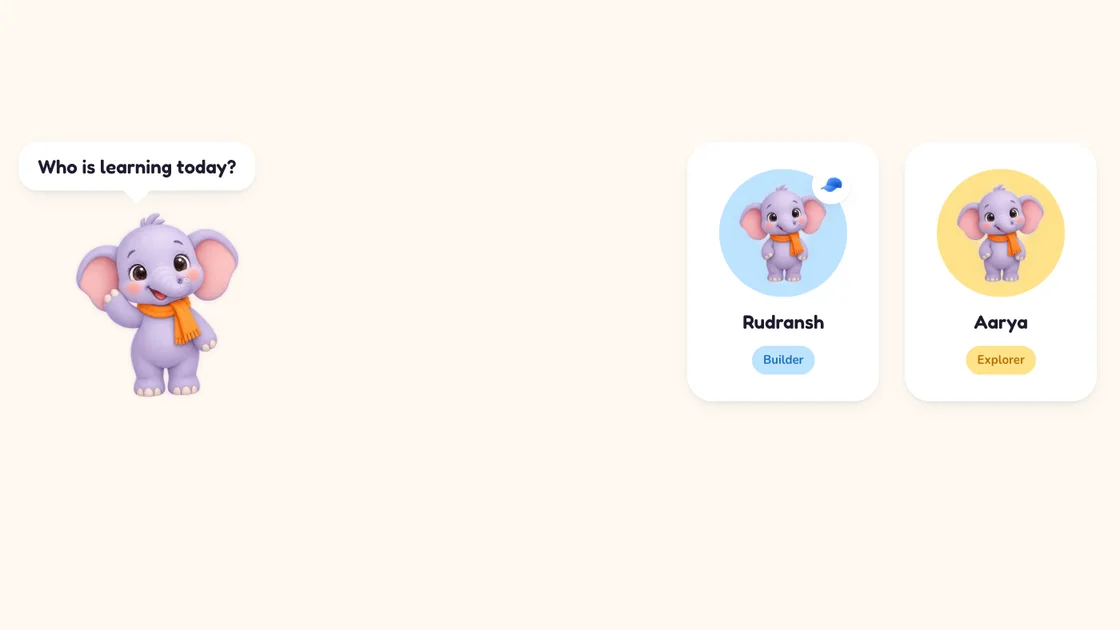
The child's screen opens on “Who is learning today?”. Each child taps their own name. There is no password, no email and nothing to read. A parent can give a child a Magic Key, three pictures tapped in order, so brothers and sisters open only their own profile.
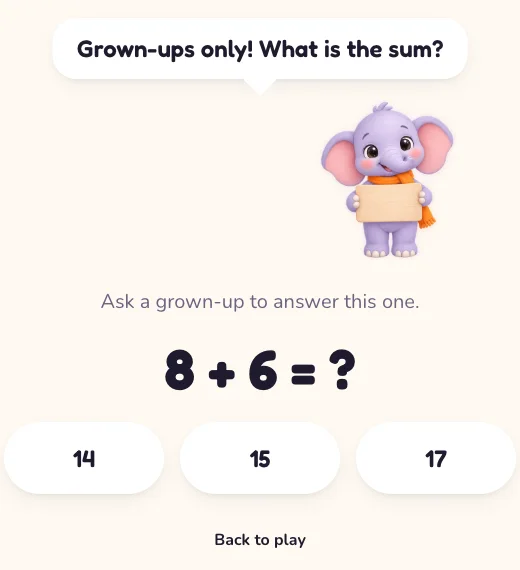
The parent area sits behind a grown-ups gate: a sum like 8 + 6 that a six-year-old cannot do yet. It locks again every time a child screen opens.
The dashboard and the weekly email
What your child learned, day by day
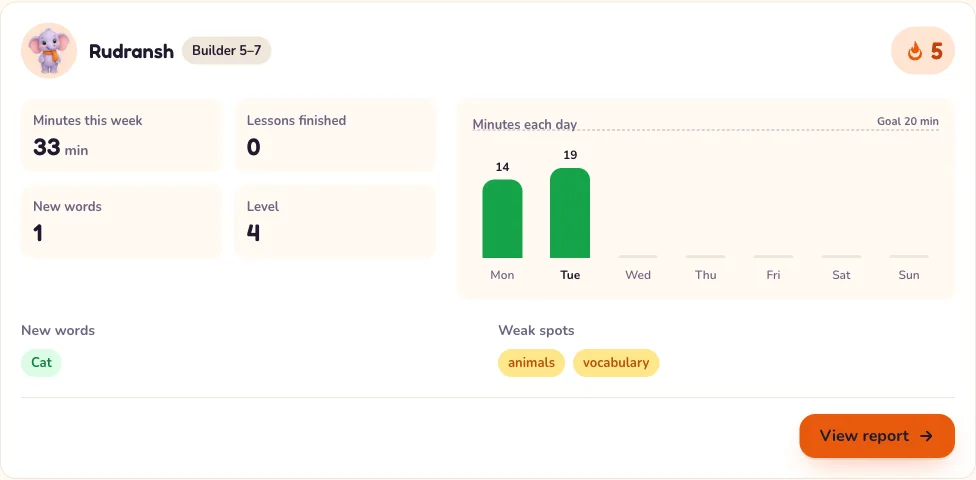
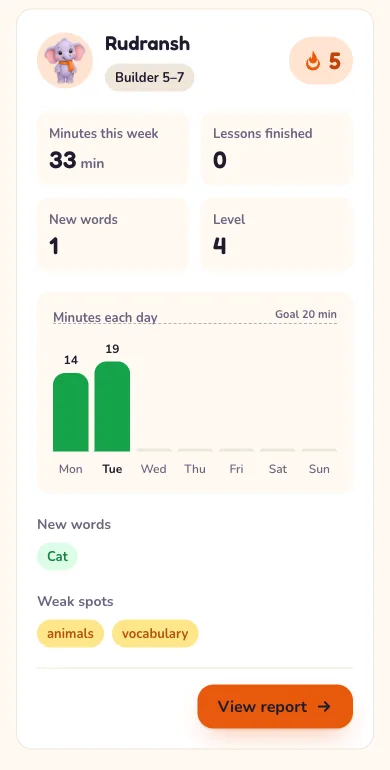
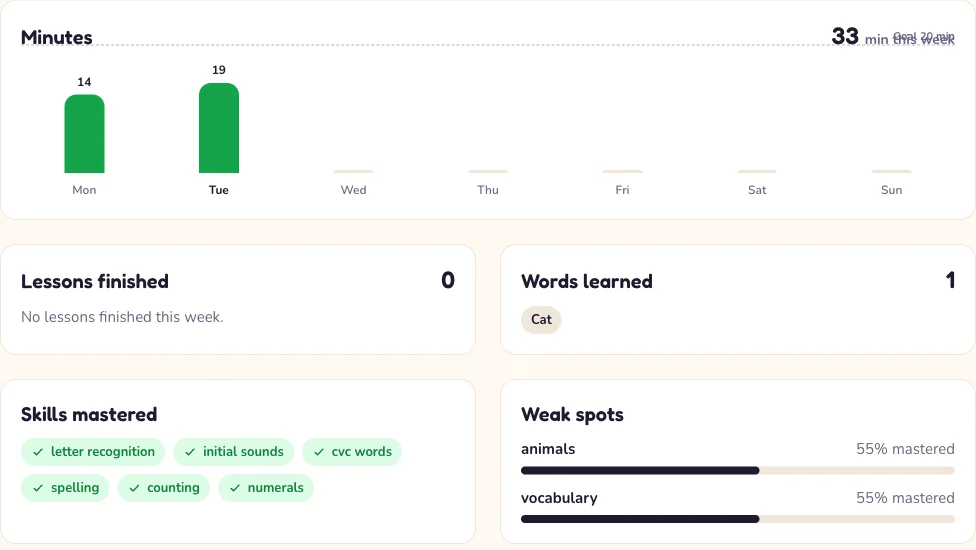
Minutes, every lesson finished with its score, accuracy per world, a 30-day practice calendar, new words and the streak, per child, with the same numbers in an email every Monday morning. On your phone, on a laptop, wherever you are.
The report
Weak spots, and what to do about them
- Skills mastered this week, named the way a teacher would: letter recognition, counting, number bonds.
- Weak spots with a percentage, from the Check steps only, so help in Try never inflates them.
- Practise together: one or two five-minute things to do on the sofa, in words, not worksheets.
- Buddy conversations: every explanation, story and Ask Buddy exchange, in full.
- Certificates for each unit finished: a painted card the child can save or share from the app the moment the unit ends, and a printable one for you.
Controls
Per child, saved as you change them
Daily time limit
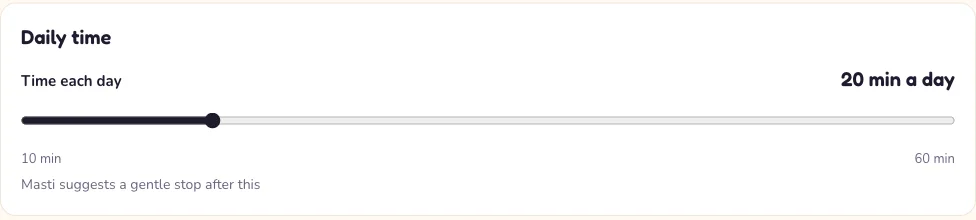
From 10 to 60 minutes. When it is reached, Masti suggests a gentle stop rather than slamming a door.
Sound and AI switches
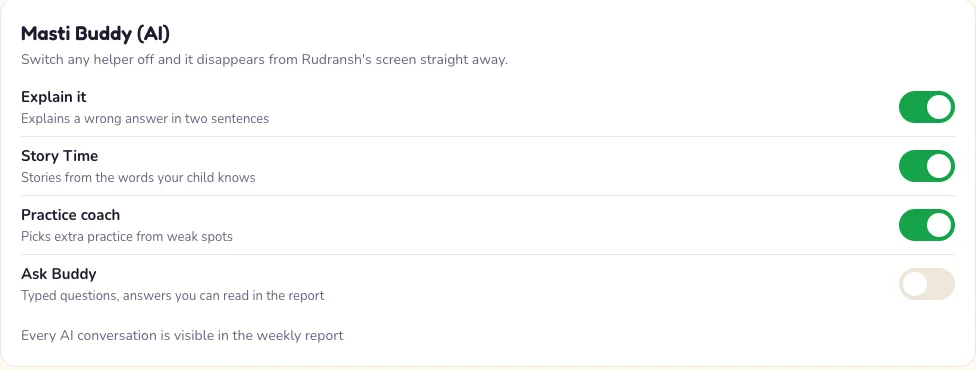
Voice and effects on or off. A switch for each Masti Buddy helper; Ask Buddy is off until you turn it on. How Masti Buddy works
Your child's data
Download it or delete it, from Settings
A copy of everything we hold about a child, in one file. Or delete the profile and every lesson, star, medal and exchange with it, within 30 days, backups included. Consent follows the Digital Personal Data Protection Act. Privacy policy
Up to date, every Monday
The weekly email
The same numbers as the dashboard, per child, in your inbox at the start of the week. Nothing else is sent: no promotions, no streak nags.
The Plan page
Cancel any time
Every account starts with a 7-day free trial, no card needed. Choose a plan before it ends to carry on. After the trial, cancelling stops the next renewal and the plan stays on until the paid period ends. Invoices live on the same page. Pricing

Set it up in a few minutes
Every account starts with a 7-day free trial, no card needed. Choose a plan before it ends to carry on.