Masti Buddy
A little AI, in the right places. Never a chatbot for a four-year-old.
Masti Buddy does four small things: it explains a wrong answer, it writes a story from the words your child knows, it picks extra practice from the weak spots, and, for older children, it answers a typed question. Each one has a switch, and everything it says is in your report.

What it does
Four helpers, each with a job
From the first lesson
Explain it
After a wrong answer in the Check step, two sentences in child language, spoken by Masti. For “Why is 3 + 2 = 5?”: “Count three apples, then two more: four, five. That makes five!”
Once a child has mastered enough words
Story Time stories
A short new story using only the words your child has mastered plus two new ones, illustrated with pictures from the lessons, with three questions at the end.
After the first Numbers units
Practice coach
Picks a few extra items from the weak spots in the report and says why: “you were quick at 5 + 2, let’s try 5 + 3”.
Master band (7–10), only when you switch it on
Ask Buddy
The child types a question, Masti answers in plain, kid-safe language from an allow-list of topics. Every question and answer is in your child’s report.
Safety rules
Built so you never have to wonder
No free chat under 7
Explorer and Builder children never get a text box. Masti Buddy only explains the lesson in front of them and reads stories.
Off by default where it matters
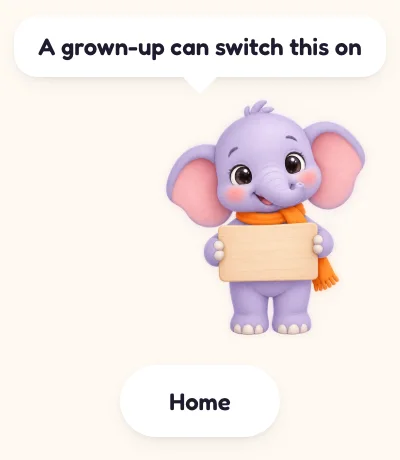
Ask Buddy starts switched off. The child sees “A grown-up can switch this on” and nothing else.
Every exchange visible to you
Each explanation, story and question appears in the child’s report with the date and time.
Nothing personal in the prompt
Only the lesson, the child’s first name and age band are sent to generate an answer. Never your email, never billing details.
A switch for each helper
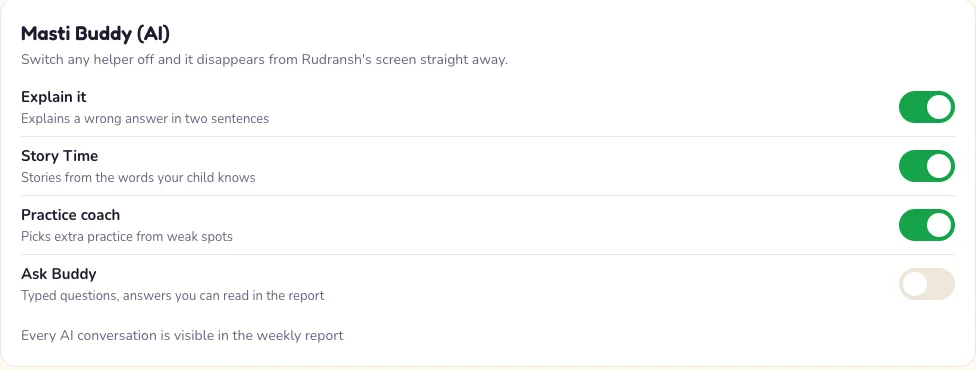
Four switches in Settings, per child. Turn one off and it disappears from the child’s screen straight away.
Not used for training
Your child’s data is not used to train AI models. Answers are generated by Anthropic’s Claude models under terms that forbid any other use.
The parent switches
Per child, in Settings, behind the grown-ups gate
Explain it, Story Time and Practice coach start on. Ask Buddy starts off and stays off until you turn it on for a child in the Master band. Changes save as you make them.
The details of what is sent and kept are in the privacy policy.

Try it with everything switched on
Every account starts with a 7-day free trial, no card needed. Choose a plan before it ends to carry on.